
Typography
Typography in the NYS Design System establishes a consistent, accessible reading experience across all New York State digital products. The system provides a curated set of typefaces, a two-layer token architecture for type properties, and utility classes for rapid development.
Core Fonts
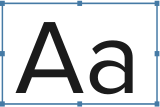
The NYS Design System uses three typefaces, each with a specific role:
- Proxima Nova — The primary typeface for body text, headings, UI elements, and display text. Its neutral character and large x-height make it highly legible at all sizes, from form labels to page titles.
- D Sari — The brand font, used exclusively for agency, program, and initiative titles (e.g. in the global header). Do not use D Sari for body text or general headings.
- Oswald — An optional supporting typeface for content-heavy sites that need a distinctive heading treatment. Not used by default in any NYSDS component.
Every font family token includes a fallback stack. If the primary font is unavailable, the system falls back to system fonts so content remains readable.
Licensing
These fonts are not included in the open-source NYS Design System packages. They are proprietary typefaces licensed exclusively for New York State government agencies and their digital products.
NYS teams can access the fonts through the NYS Design System Fonts repository (internal, requires NYS GitHub access). If the fonts are not installed, all typography tokens resolve to system font fallbacks — your application will still work, just without the branded typefaces.
Typography Tokens
The NYS Design System defines typography as design tokens — CSS custom properties that encode font family, size, weight, line height, and letter spacing. These tokens are organized into two layers: primitive and semantic.
Primitive Tokens
Primitive tokens are the raw typographical building blocks. They define a range of values without any opinion about where those values should be used.
| Property | Example Token | Value |
|---|---|---|
| Family | --nys-font-family-sans |
"Proxima Nova", -apple-system, ... |
| Size | --nys-font-size-md |
1rem |
| Weight | --nys-font-weight-bold |
700 |
| Line height | --nys-font-lineheight-md |
1.5625rem |
| Letter spacing | --nys-font-letterspacing-400 |
0.003rem |
Do not use primitive tokens directly in your stylesheets. They exist to define the semantic layer. If you reference --nys-font-size-5xl directly and the design team later reassigns heading sizes, your layout will not update.
Semantic Tokens
Semantic tokens map primitive values to specific roles — headings, body text, UI labels, display text, and agency titles. Use these in your stylesheets.
| Token | Role | Resolves To |
|---|---|---|
--nys-font-family-body |
Body text | var(--nys-font-family-sans) |
--nys-font-family-heading |
Headings | var(--nys-font-family-sans) |
--nys-font-family-ui |
UI labels and controls | var(--nys-font-family-sans) |
--nys-font-family-display |
Display / hero text | var(--nys-font-family-sans) |
--nys-font-family-agency |
Agency titles | "D Sari", Arial, sans-serif |
--nys-font-size-h1 |
Heading 1 size | var(--nys-font-size-7xl) = 2.5rem |
--nys-font-size-body-md |
Medium body size | var(--nys-font-size-md) = 1rem |
--nys-font-size-ui-md |
Medium UI size | var(--nys-font-size-md) = 1rem |
--nys-font-lineheight-h1 |
Heading 1 line height | 2.5rem |
--nys-font-letterspacing-h1 |
Heading 1 letter spacing | var(--nys-font-letterspacing-0) = 0 |
Semantic tokens exist for every heading level (h1--h6), body sizes (xs, sm, md, lg), UI sizes (xs--xl), display sizes (sm--xl), and agency sizes (md--xl). Browse the complete list in the typography token reference.
For a deeper explanation of how primitive and semantic token layers work together, see Design Tokens.
Installing Fonts
In a NYSDS Application
- Download the font bundle from the NYS Design System Fonts repository (internal, requires NYS GitHub access).
- Extract the fonts into your project's assets directory.
- Reference the provided stylesheet in your HTML
<head>:
NYSDS web components use typography tokens internally, so once the fonts are installed and the stylesheet is loaded, components will render with the correct typefaces automatically.
For full project setup instructions including npm installation and script references, see Getting Started for Developers.
On Desktop (for Designers)
Designers working in design tools need the font files installed on their local machine. Download the font package from the NYS Design System Fonts repository and install the .otf or .ttf files using your operating system's font manager.
Font Preloading
When a browser loads a page, it may briefly display text in a fallback font before the web font finishes loading. This is called a Flash of Unstyled Text (FOUT). Preloading critical fonts tells the browser to start downloading them earlier, reducing or eliminating the flash.
Add <link rel="preload"> tags for the font weights your application uses most. For most NYS applications, this is Proxima Nova Regular:
Only preload fonts you are certain will be used on the page. Preloading too many fonts wastes bandwidth and can slow down initial page load.
For more on web font performance, see Google's Using Web Fonts guide.
Using Typography in a Project
The full NYSDS stylesheet (nysds-full.min.css) includes predefined typography styles that handle most use cases. If you include this stylesheet, headings, body text, and common elements will use the correct fonts, sizes, and line heights automatically. See Styles Framework for full installation and usage instructions.
If you need to customize beyond the defaults or can't use the full stylesheet, you can use typography tokens and utility classes directly:
Tokens via CSS Custom Properties
Apply semantic tokens directly in your CSS using var():
Each property must be set individually — CSS does not support setting multiple properties at once with var(). This is fine when building reusable components, but can be verbose for one-off styling. That is where utility classes help.
Utility Classes
The NYS Design System provides .nys-font-* utility classes that bundle the correct font family, size, line height, and letter spacing for common text roles. Apply them directly in your HTML:
For the complete list of typography utility classes with live previews, see Typography Utilities.
Best Practices
-
Use semantic tokens, not primitives. Semantic tokens like
--nys-font-size-h1will stay correct if the design team adjusts the type scale. Primitive tokens like--nys-font-size-5xlwill not. -
Use utility classes for rapid development. The
.nys-font-*classes combine multiple token properties into a single class. Use them for content areas and page layouts where you need consistent type styling without writing custom CSS. -
Preload critical fonts. Add
<link rel="preload">for the one or two font files your application uses most. This eliminates the flash of unstyled text on initial load. -
Extend existing components before building custom ones. NYSDS web components already reference typography tokens. Override specific CSS custom properties on a component rather than rebuilding its type styling from scratch.
-
Maintain heading hierarchy. Use heading levels (h1--h6) for document structure, not visual sizing. If you need a heading that looks like an h2 but is structurally an h3, apply the
.nys-font-h2utility class to the<h3>element.
Resources
- Typography Utility Classes — full reference with live previews
- Design Tokens — how primitive and semantic token layers work
- Typography Tokens — browse font size and font family tokens
- Using Web Fonts — Google's guide to web font performance
Edit this page on GitHub (Permissions required)
Last updated: October 9, 2026