
Assembling, Not Guessing: The NYS Design System MCP Server
The NYSDS MCP server connects AI coding assistants to our components, design tokens, and usage guidance, so they assemble from tested parts instead of guessing.
Ask an AI coding assistant for a benefits application and you'll have a working form in seconds. You'll also probably get React styled with Tailwind, a few invented class names, and accessibility nobody has tested. Without context, the assistant guesses.
That's why we built the NYS Design System MCP server. It connects AI assistants directly to our components, design tokens, and usage guidance, so they build with the same tested parts your team does. Think of it like this reference site, written for machines.
What's an MCP?
MCP stands for Model Context Protocol. It's an open standard, released by Anthropic in late 2024, that gives AI assistants a common way to ask outside systems for information while they work.
On its own, an assistant knows only what it learned in training and whatever you paste into the chat. MCP lets it look things up. Let's say it needs to know which components we offer for forms, or which attributes nys-button accepts. It asks our server, and a structured answer comes back from the design system itself.
One thing to understand... the MCP server isn't an AI, and it doesn't generate anything. It's a reference the AI consults, written by the people who build the design system.
Try it out
You need Node.js 18 or later. There's nothing else to install, because your assistant starts the server on demand with npx.
Most assistants take the same configuration block:
Where that block lives depends on your tool:
- Claude Code:
.mcp.jsonin your project root - Cursor:
.cursor/mcp.json - Gemini CLI:
.gemini/settings.jsonin your project, or~/.gemini/settings.json - GitHub Copilot in VS Code:
.vscode/mcp.json, withserversin place ofmcpServers - Claude Desktop:
claude_desktop_config.json
MCP is an open standard, so the server works with almost any AI tool that supports it, no matter which model runs behind it. You'll find the details for each tool in the MCP server README.
After the server is connected, give one of these prompts a try:
Before you connect an AI tool to agency work, check with your supervisor and read your agency's policy on approved AI tools.
Guessing vs. assembling
Why do assistants guess? A large language model predicts the most probable next word from patterns in its training data. If it doesn't have your context, the output drifts toward the statistical center of everything the model has seen. That isn't wrong, exactly. It's generic (the most likely answer across every context, which makes it nobody's specific answer).
I learned this while writing a talk summary with an AI. It got my last name wrong, and it wasn't a near miss... it invented one.
A made-up last name is funny, but a made-up form control on a state service isn't. Different teams have solved the same problem with different skills, budgets, and priorities, and New York already has dozens of versions of the same button. AI doesn't fix that problem. It speeds it up.
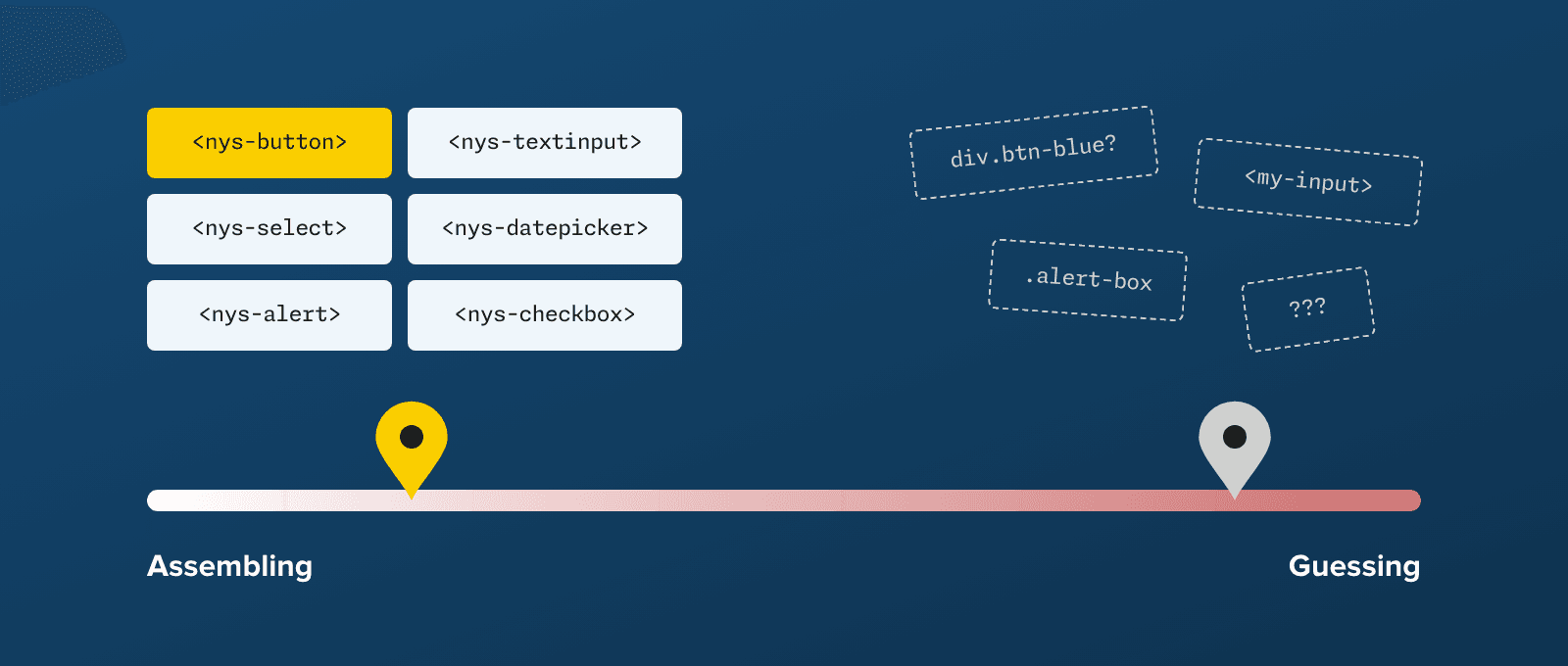
Prompt + NYSDS MCPAssembles tested nys-* components using NYSDS guidance, so the output lands near the assembling end
Prompt aloneFills the gaps with whatever is statistically likely, so the output lands near the guessing end
Assembling DeterministicGuessing Stochastic
The MCP server moves AI output from the guessing end of that slider to the assembling end. The assistant no longer has to predict what a button probably looks like. It looks up nys-button, reads our guidance, and assembles from parts we've already built and tested.
How it works
Your prompt“Build a fishing license renewal form”
Your AI assistantClaude Code, Copilot, Cursor, Gemini CLI, and more. It trades context with the language model and the NYSDS MCP server.
Language modelClaude, GPT, Gemini, and others
NYSDS MCP serverAnswers tool calls like get_component with attributes, slots, events, usage guidance, and tokens
Code built from nys-* components
You give your assistant a prompt. The assistant sends it to the model, along with a list of our MCP tools, and the model decides which of those tools it needs. Then the assistant calls them and hands the results back, so the model writes code with our components, attributes, and rules in front of it and doesn't have to guess at them.
The tools, and why they save context
When we built an early form demo, the AI fetched our raw custom-elements.json (the machine-readable manifest of every component we ship) from unpkg. That worked... but it's like handing someone the phone book when they asked for one number.
Context windows are finite, and the more you put in one, the less attention each piece gets. Our manifest runs about 150,000 tokens today, which is more than some models can hold at once. So the MCP server breaks it into small, targeted tools:
| Tool | What it gives the AI |
|---|---|
find_ |
A list of components with one-line summaries, or the matches for a search |
get_ |
Full docs for one component: attributes, slots, events, CSS variables, usage guidance, and optional code examples |
validate_ |
A check that every attribute in the AI's code exists on the component |
find_ |
Design tokens that match a name, value, or description |
get_ |
One token's value, usage description, and related alternatives |
get_ |
How tokens reference each other, from primitive values up to applied tokens |
get_ |
Grid, flex, spacing, display, and typography utility classes |
get_ |
Guides for installation, forms, styles, fonts, page structure, themes, and framework setup |
A typical flow goes find, get, validate. The assistant calls find_components to see what's available, then get_component for only the components it needs, and finally validate_component_api to check its work.
Per MCP call
find_componentsAbout 2,500 tokensget_component4,000–7,000 tokens eachvalidate_component_apiAbout 300 tokens
Estimated at about four characters per token. Exact counts vary by model.
For a single component, that adds up to about 10,000 tokens instead of 150,000, a savings of more than 90%. A six-component form lands around 35,000, which is still about three-quarters less. And with less noise in the context window, the model pays more attention to the guidance that matters.
If you'd like to watch this happen, open the MCP Inspector, a free tool for testing MCP servers. Here's get_component returning nys-button:
How it stays fresh
The server stays current because its content comes straight from our source files. We keep every component's documentation in its source code, as JSDoc comments. Here's the top of nys-button:
The second paragraph of that comment is design guidance, not API information. Our designers decided when each variant belongs, and our engineers wrote it down where machines can read it. (We're following Benny Powers's guide, Effective Writing for AI, as we add more of it.)
When we build a release, the Custom Elements Manifest analyzer reads those comments and generates custom-elements.json. That one file feeds both the MCP server and the usage guidance on this site. Design tokens work the same way, since every token carries a description. Here's the one for --nys-color-success: "Success state indicator. USE for confirmations and positive feedback. MUST pair with success icon."
Written by the team
Built each release
Read by
nys-button.ts/**
 * Use `filled` for primary
 *   actions (one per section)…
 * @summary Button for …
 * @slot prefix-icon …
custom-elements.jsonCustom Elements Manifest
Reference siteReads custom-elements.json for component usage guidance
tokens.json"success": {
  "default": {
    "$value": "{…green.600}",
    "$description":
      "Success state indicator…"
Token filestokens.json, tokens.css
NYSDS MCP serverReads the manifest and the token files. Same version number as the components.
Your AI assistant
No separate “AI docs” to drift out of date.
The MCP server ships with each NYSDS release, under the same version number as the components. So when we sharpen a description, the change reaches this site and every connected AI assistant in the same release, and there's no separate copy of "AI docs" to drift out of date. Guidance written for people turns out to work for AI, too.
Cheap to write, expensive to own
Agents have lowered the cost of authoring code, but they haven't lowered the cost of owning it.
An AI-generated form still needs the same accessibility audit, the same security review, and the same maintenance as one somebody wrote by hand, and we still have to coordinate engineering work across more than 45 agencies. Generated code is cheap. Verifying it is expensive, and you pay that cost every time.
Shared components change that math, because we pay the verification cost for nys-* components once. We test them with people who use screen readers every day, we review them, and we fix them in one place. Every team (and every model) that assembles from them collects the dividend.
Generated per project
- Licensing
- Benefits
- Parks
Verified again for every project
Assembled from nys-*
nys-* componentsAccessibility, security, and maintenance, verified once
- Licensing
Inherits it - Benefits
Inherits it - Parks
Inherits it
Verified once, inherited everywhere
Think of it like handing a contractor a pile of lumber versus connecting them to a supply chain. The lumber starts aging the day it's delivered, while the supply chain improves. When we fix an accessibility bug in nys-button, every product built with it gets the fix when it updates. Code generated from scratch is frozen the day it ships.
Two ways in
The NYSDS MCP server is only half the picture. When designers hand off screens built with our Figma library, Figma's MCP server returns code snippets for the same nys-* components, configured the way the designer set them up. Engineers who are building from requirements, with no mockup, use ours. On both routes the AI assembles from the same parts, and our team keeps design and code in sync.
Design
Figma MCPCode Connect snippets
NYSDS Figma library
Starts from Figma screens
Your AI assistantAny MCP-capable tool
Same nys-* componentsIn your code
Engineering
NYSDS MCPComponent and token docs
nys-* code library
Starts from requirements
NYSDS teamKeeps design and code in sync
The pattern engine
A server like this is only as good as what we put into it. That's the part I'm most excited about.
- Design guidanceFrom designers, engineers, and accessibility specialists
- NYSDS MCP serverStructured, versioned, and queryable
- AI-generated outputAssembled from
nys-*components - Review and refinePeople catch gaps and sharpen the guidance
Then the cycle starts again, with every release.
It starts with designers, engineers, and accessibility specialists defining how components should work. Their guidance goes into the source, flows through the manifest, and reaches the MCP server, where AI assembles with it. Then people review what the AI built, catch the gaps, and sharpen the guidance, and the cycle runs again.
If you're a designer, none of this replaces you. Your work moves into the layer AI builds on, and all three disciplines can now shape the material AI builds with.
Tell us what you find
The MCP server is a work in progress. How good the output is depends on our documentation, and we improve that with each release. If your assistant gets something wrong, we want to hear about it! Email designsystem@its.ny.gov or open an issue on GitHub.
AI doesn't know what's right, only what's likely. Our job is to encode what's right into something it can follow.
Edit this page on GitHub (Permissions required)
Last updated: November 11, 2026